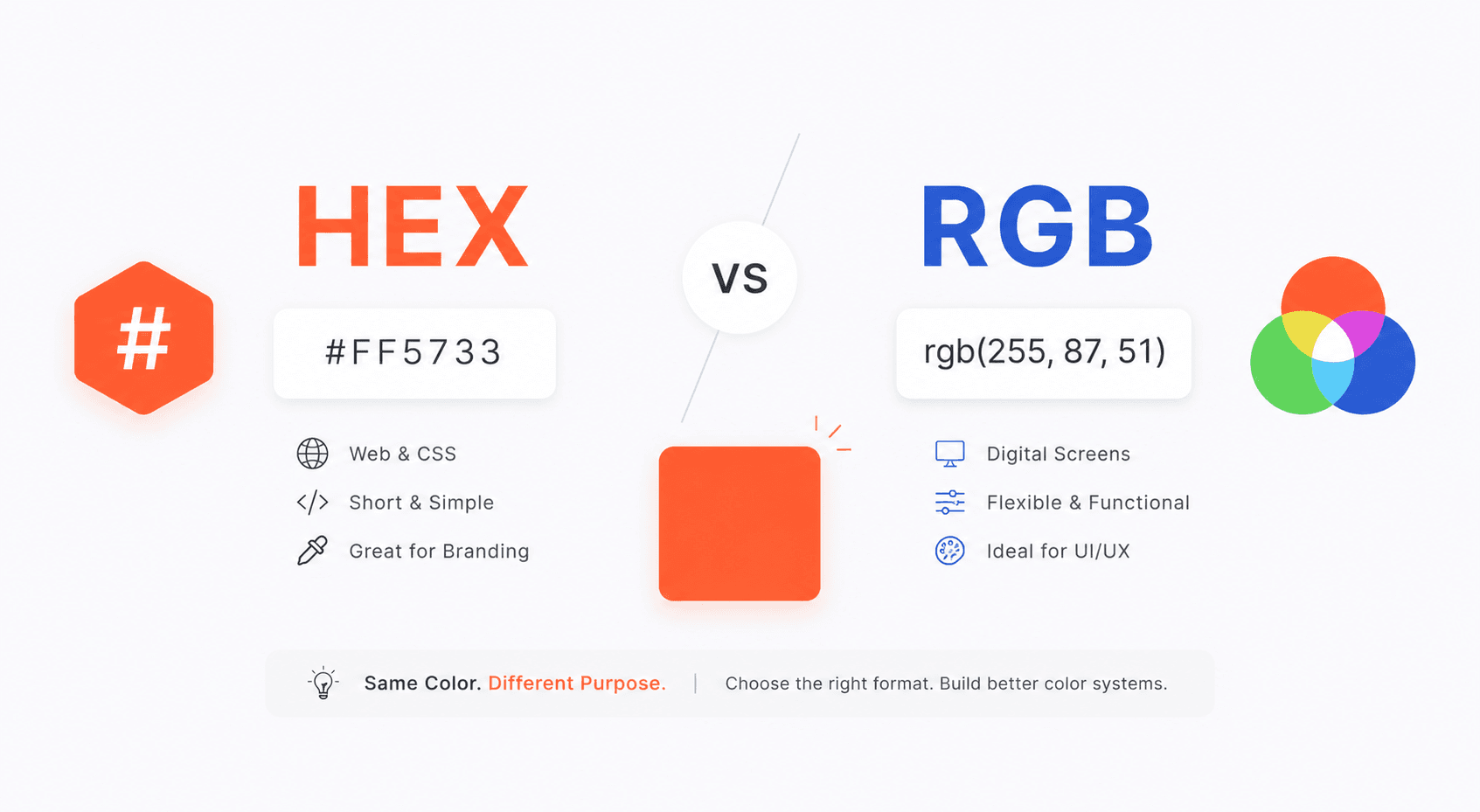
Every designer, developer, or brand strategist has faced the same quiet dilemma: should this color be written as #FF5733 or rgb(255, 87, 51)? Both values describe the same orange, yet the choice between them carries real consequences for how your project renders, scales, and communicates.
Understanding HEX vs RGB is not a trivial detail — it is foundational knowledge that shapes everything from your design software workflow to your CSS codebase to how consistently your brand color appears across a hotel lobby screen and a smartphone display.
What Are HEX and RGB Color Codes?
Before comparing the two, it helps to understand exactly what each format is doing.
HEX (Hexadecimal) color is a six-character code preceded by a hash symbol, such as #3A7BD5. Each pair of characters represents the red, green, and blue channel values in base-16 notation. The range per channel runs from 00 (no intensity) to FF (full intensity).
RGB (Red, Green, Blue) expresses the same three channels as decimal integers, each ranging from 0 to 255 — for example, rgb(58, 123, 213). The format is more immediately intuitive for anyone who thinks about color mixing, and it supports an extended variant called RGBA, where a fourth value (alpha) controls transparency on a scale from 0 to 1.
Why This Choice Actually Matters
According to web performance research, color-related rendering inconsistencies account for a surprisingly high percentage of cross-browser visual bugs — many of which trace back to format mismatches or imprecise conversions. Choosing the right color code format from the start reduces technical debt and keeps your design system coherent.
For teams maintaining color palettes across multiple platforms — web, mobile, print, and digital signage — the format question is especially consequential. A mismatch between how a color is stored in a Figma token and how it is called in a CSS variable can produce subtle but costly drift over time.
Understanding this distinction is the first step toward building a truly robust adaptive color system for UI palettes.
HEX vs RGB: A Side-by-Side Comparison
Feature | HEX | RGB |
Format | #RRGGBB | rgb(R, G, B) |
Readability | Compact, familiar to developers | More intuitive for non-technical users |
Transparency support | No (use 8-digit HEX for alpha) | Yes, via RGBA |
CSS support | Full | Full |
Design tool support | Universal | Universal |
The table above makes clear that neither format dominates in every category. Context is everything.
When to Use HEX
HEX is the right choice in most static web and branding contexts. Here is when it earns its place.
Static CSS and HTML
When you are writing CSS that will not change at runtime, HEX is cleaner and more conventional. Codebases across the industry have standardized on HEX for static color declarations because it is shorter and visually distinct. A color token file with 40 brand swatches is easier to scan in HEX notation.
If you are building a Shopify storefront, for instance, HEX is the dominant format — and you can explore how to apply it effectively in guides like Shopify color palettes.
Design Handoff and Brand Documentation
Brand guidelines almost universally present HEX codes. When a designer hands off a component to a developer, HEX values copy cleanly from design tools like Figma, Sketch, or Adobe XD into code. For maintaining a consistent brand color kit, HEX remains the lingua franca.
Logo and Identity Work
When documenting a brand's primary, secondary, and accent colors for a logo system, HEX values are compact enough to embed in PDF brand guides and print-ready documents without ambiguity.
When to Use RGB
RGB comes into its own wherever you need programmatic control over color.
Dynamic Color Manipulation in CSS or JavaScript
CSS Custom Properties and JavaScript make it possible to manipulate colors at runtime — adjusting brightness, mixing two colors, or applying a theme dynamically. RGB makes these calculations straightforward because each channel is a simple integer. You can increment or decrement a value, clamp it, or interpolate between two colors with basic arithmetic.
For example, generating shade and tint variations from a base color is far cleaner when working in RGB space, since you can directly modify each channel value.
Transparency and Layered Interfaces
RGBA is the natural choice for overlays, modals, tooltips, and any element that needs to sit transparently over a background. Writing rgba(0, 0, 0, 0.4) for a semi-transparent black overlay is both readable and precise — there is no equivalent shorthand in HEX without using the 8-digit form.
Canvas and WebGL
Browser-based graphics APIs, including HTML Canvas and WebGL shaders, work natively with RGB integer or float values. Using HEX in these contexts requires conversion overhead.
RGB to HEX Conversion: How It Works
The RGB to HEX conversion process is a straightforward base-10 to base-16 transformation applied per channel.
Take each RGB channel value (0–255).
Divide by 16 to get the first hex digit; the remainder becomes the second.
Combine all three results: #RRGGBB.
For example, rgb(255, 87, 51) converts as follows:
255 → FF
87 → 57
51 → 33
Result: #FF5733
You can perform this instantly using the color format converter on Coloraccy, which handles HEX, RGB, HSL, and other formats without manual calculation.
Related Color Formats Worth Knowing
HEX and RGB are the most common color code formats, but a well-rounded color workflow often involves others.
HSL (Hue, Saturation, Lightness) is increasingly popular in modern CSS because it maps more closely to how humans perceive color. Adjusting lightness is a single-value operation, which makes generating accessible contrast ratios more predictable.
CMYK is the standard for print. While screens use additive RGB mixing, printers use subtractive CMYK mixing. Any color intended for both digital and print output should be defined in RGB/HEX for screens and converted to CMYK for print production — the two are not directly equivalent.
HSB/HSV is commonly used in design tools like Photoshop and Procreate. If you work with Procreate color palette ideas, you will encounter HSB regularly when picking and adjusting colors on the canvas.
Understanding the full landscape of formats helps you work with color palettes more intentionally across tools and outputs.
Building Color Systems That Use Both Formats
Professional design systems rarely pick one format and stick to it rigidly. A mature workflow looks more like this:
Store brand colors as HEX tokens in a design system (Figma variables, Style Dictionary, or a JSON token file).
Expose them as CSS Custom Properties in HEX for static declarations.
Convert to RGB or HSL when a component requires dynamic manipulation or transparency.
Use a tool like the complementary color finder to build harmonious palettes from those base tokens.
This approach leverages the strengths of both formats while maintaining a single source of truth. You can explore ready-made examples through aesthetic palettes and abstract palettes on Coloraccy to see how cohesive systems are structured.
For anyone starting from scratch, the random color generator and color picker are quick ways to get started before locking in a palette.
Practical Tips From Real-World Projects
Here are insights drawn from working across branding, UI development, and digital product design:
Always define a format standard early. On team projects, decide upfront whether your design tokens use HEX or RGB. Mixing formats in the same codebase creates unnecessary confusion.
Use HEX for color palette documentation. When sharing brand colors with clients or printing style guides, HEX is universally understood and easy to copy.
Prefer RGBA for UI overlays. Hardcoding a semi-transparent color as an 8-digit HEX (#00000066) works, but rgba(0,0,0,0.4) is more readable for team members.
Test conversions visually. Automated conversion tools are accurate, but always verify the result visually — especially for near-neutral colors where small rounding differences can shift perceived warmth or coolness.
Consider color theory basics when building a palette, not just format mechanics. The right hue relationships matter more than the notation you use to express them.
For UI and branding work, understanding brand color psychology alongside technical format knowledge produces far more effective visual communication.
Common Mistakes to Avoid
Even experienced designers make format-related errors. Watch out for these:
1. Assuming HEX and RGB always produce identical results across devices. They represent the same sRGB values, but if a device or browser is not color-managed correctly, you may still see variation. Always test on multiple screens.
2. Forgetting that 3-digit HEX is a shorthand. #F00 is equivalent to #FF0000. This is valid CSS, but some design tools or systems may not parse it correctly. Use the full 6-digit form to be safe.
3. Using RGBA when you mean solid color. Writing rgba(255, 0, 0, 1) instead of rgb(255, 0, 0) or #FF0000 adds unnecessary complexity with no benefit.
4. Converting colors manually. Human error in base-16 arithmetic is common. Always use a dedicated color format converter rather than doing it by hand.
5. Ignoring accessibility contrast when choosing between shades. Selecting a color because it looks right in HEX without checking its contrast ratio against backgrounds is a frequent oversight. Tools that generate elegant minimalist colors often include accessibility checks for this reason.
Conclusion
The debate between HEX vs RGB is not about which format is superior — it is about knowing which tool suits the job at hand. HEX excels in static contexts, brand documentation, and design handoff. RGB shines in dynamic interfaces, transparency layers, and programmatic color work. A skilled designer or developer moves fluidly between both, using conversion tools and a clear token strategy to keep everything consistent.
Coloraccy makes this process simpler at every step. From the palette showcase to the image color extractor, free color palette generators, and full color palette library, every tool you need to build, convert, and apply color systems is in one place.
Ready to take your color workflow to the next level? Explore Coloraccy's full suite of design tools atcoloraccy.com and start building color systems that work everywhere — from screen to print to brand.